Feature highlights
Useful tools for a growing library.
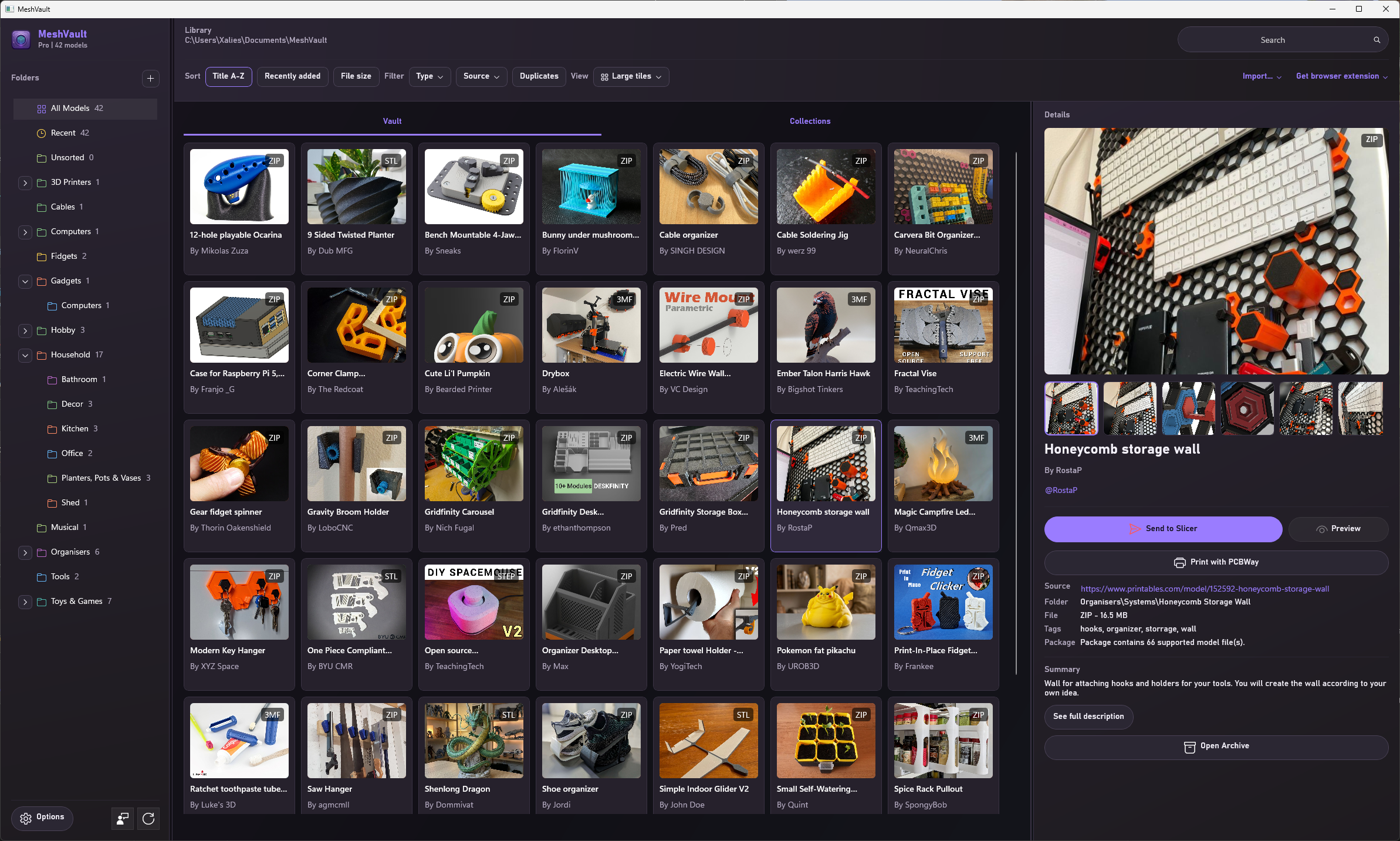
These are selected highlights for a quick overview. The complete, versioned feature reference covers the desktop apps, Connect, Server, MeshVault Mobile, and every supported file type.
AI assistants for your library
Connect Codex, Claude Desktop, or Cursor to search and organise your library, with separate permissions for each assistant.
PDF guides with your models
Keep colour guides and assembly instructions linked to models and packs, including models extracted from an archive.
More formats, smarter previews
Inspect Rhino 3DM, IGES, DXF, X3D, OFF, AMF, and CNC toolpaths. Automatic preview quality retains full detail when the memory budget allows.
Server maintenance in your browser
Choose preview quality, manage reference PDFs, migrate legacy images, and check image-storage health from the server web interface.
Portable
The database is kept in the library folder so you can use it across multiple installs and still keep your entire library intact.
Preview, measure, and capture
Use the native viewer for common mesh, CAD, and G-code formats, inspect build plates, measure models, and save preview captures back into the gallery. Multi-body 3MF colours and materials are preserved where available.
Multi-plate projects
Move between separate plates in supported 3MF and G-code projects instead of treating a multi-plate job as one undifferentiated model.
Fill in missing images
When an imported model has no useful thumbnail, MeshVault can generate images for supported geometry or use images already embedded in supported packages.
Archive-aware library
Keep downloaded packages intact while still seeing supported contents, previewing single-model archives, and opening other files with their default apps.
Duplicate and cleanup help
Hash checks help catch duplicate imports, missing files are cleaned from the database, and empty folders can be tidied as the library changes.
Collections and folders
Use real folders for the filesystem and virtual collections for project groups, print queues, favourites, or anything that crosses folder boundaries.
Favourites
Mark individual or selected models as favourites and open them from a dedicated quick-access view, including models from a connected server.
Additional watch folders
Index external folders in place without moving their files into the main library. Their thumbnails and local index data stay on that computer.
Smarter browser re-imports
When a MeshVault Connect download already exists, choose whether to update the existing model, keep a new copy, or ask each time.
Local and server libraries together
Connect to a MeshVault Server and browse remote models alongside the local library, with clear remote markers and local slicer hand-off.
Slicer result capture
Track useful output from supported slicers, including print time, filament use, material, layer details, printer settings, and object counts.